UGC Video Revisions Feedback: 9 Costly Mistakes That Force Reshoots (and the Fix)
Most reshoots are not creator failures. They are feedback failures. This guide shows how to give UGC video revisions feedback that an editor and a creator can act on in one round, without paying for a second shoot.

UGC video revisions feedback is the written set of notes a brand sends after watching the first cut of a creator video, and it decides whether the next version arrives in two days or after a second shoot. When we run UGC video production for D2C brands, the single biggest predictor of a clean delivery is not the creator. It is how clearly the brand reviews the cut. Vague notes create reshoots. Specific notes create versions.
I have watched the same pattern for 9+ years at Adverra Studio: a fashion or skincare brand approves a brief, the creator films well, and then five people send seven opinions over ten days. By the time the notes are merged, half of them contradict the brief and the other half could have been fixed in the edit. This post walks through the nine feedback mistakes that turn revision rounds into reshoots, a decision table for edit or reshoot, a timestamped feedback template and a two-round approval workflow you can copy.
Key takeaways
- Separate edit-side notes (pacing, captions, hook order, music) from creator-side notes (performance, product handling) before you send anything.
- Every note needs a timestamp, the problem, and the change you want. Taste words alone are not feedback.
- Consolidate all stakeholders into one document and one owner per round. Two rounds is enough for most UGC.
- Run claims, ASCI disclosure and usage-rights checks on the script, not on the final cut.
- A new claim, new offer or new product after the shoot is a scope change, not a revision.
What counts as a UGC revision, and what is actually a reshoot?
A revision is any change made from footage that already exists: re-cutting, re-ordering, trimming, re-captioning, swapping music, colour or a voiceover. A reshoot means the creator has to film again because the needed shot, line or product moment was never captured. The line between the two is the footage, not the size of the change.
This distinction matters because the cost is completely different. A revision is editor time, usually hours. A reshoot means re-shipping product, re-booking the creator, re-lighting a set and waiting for a new slot in their calendar. In UGC revision rounds, brands often ask for a reshoot when the editor could have solved the problem with an alternate take that is already sitting in the raw folder.
A good rule we use at Adverra Studio: before anyone writes “reshoot”, ask the editor one question — do we have this moment on any take? Creators usually film three to five takes of each hook and several B-roll angles of the product. The fix is often hiding in take three.
The three types of change in a UGC cut
- Edit revision — pacing, hook order, captions, text overlays, music, colour grade, crop for 9:16, 1:1 or 4:5, end card and CTA frame.
- Pickup — a short re-record the creator can do at home in minutes: one line, one close-up, a voice line for a voiceover patch.
- Reshoot — a full or partial new shoot because the setting, the product, the creator’s performance or the core claim has to change.
Pickups are the most underused middle ground. If only a hook line or a pronunciation is wrong, a 10-minute pickup filmed against the same wall with the same light usually saves the video. Ask for it explicitly; most creators are happy to do one when the note is clear.
Why do UGC revision rounds turn into reshoots?
Revision rounds turn into reshoots when the brief was not locked before the shoot, when feedback arrives late from too many people, or when the brand changes what the ad is meant to say after filming. In each case the footage is fine; the decision-making around it is not.
Think of the UGC production line: brief → casting → script → shoot → edit → hook variants → delivery → testing. Every step after the shoot depends on decisions made before it. If the claim, the offer, the target customer or the must-show product moment changes after the camera stops, no editor can invent footage that was never filmed.
The second cause is timing. Creators work on several brands each week. When feedback arrives ten days after the first cut, the creator has moved on, sometimes the product sample is gone, and a “small fix” becomes a new booking. Fast, consolidated feedback is the cheapest production tool a brand has.
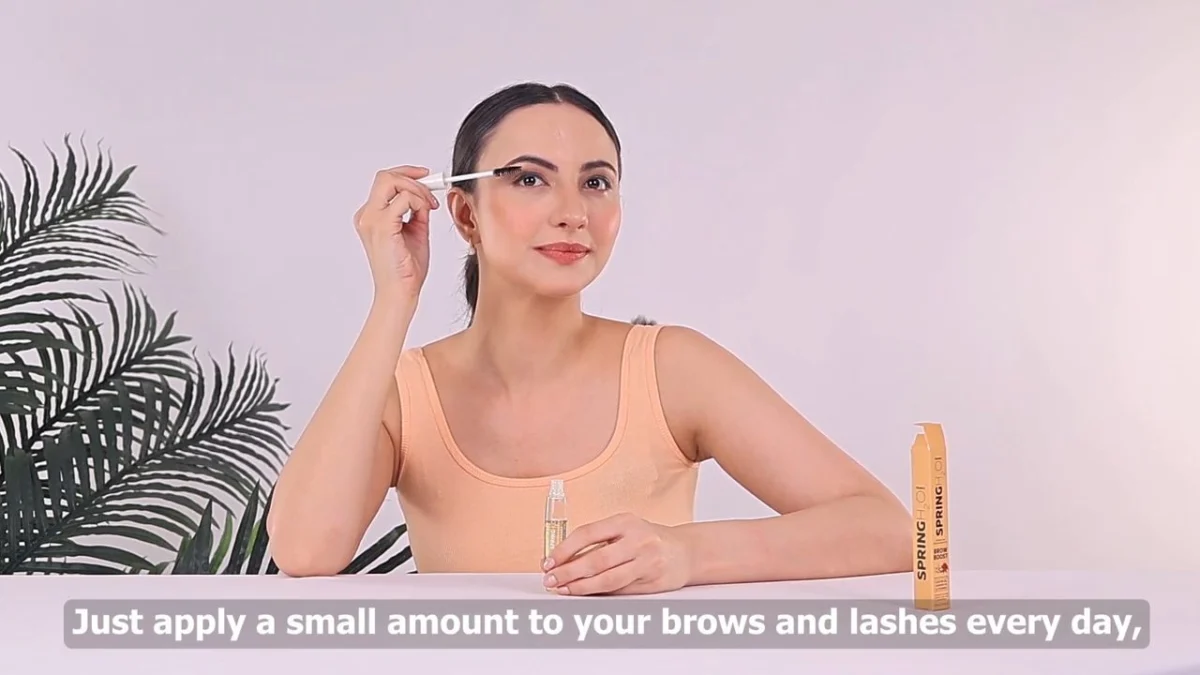
Which feedback mistakes force a UGC reshoot?
Nine mistakes cause almost every avoidable reshoot we see: vague notes, scattered stakeholders, scope changes disguised as revisions, reshooting edit problems, reviewing on the wrong screen, mixing creator and edit notes, late compliance, open-ended rounds and over-scripting. Fix these and most UGC revision rounds close in two passes.
Mistake 1: UGC video revisions feedback with no timestamp or reason
“Make it more premium”, “the energy feels off”, “can it pop more?” — these notes feel useful to the person writing them and are almost impossible to act on. The editor guesses, the brand rejects the guess, and after two rounds someone concludes the footage is wrong. Every note needs three parts: where (timestamp), what is wrong, and what you want instead. “0:03–0:05, the product is out of focus, use the close-up from take 2” can be done in ten minutes.
Mistake 2: Five reviewers, five separate messages
The founder comments on WhatsApp, the performance marketer on email, the brand manager in a shared doc and the product team on a call. The editor receives notes that contradict each other and either picks one or freezes. Name one feedback owner per video who merges every opinion, resolves conflicts internally and sends one document. If two reviewers disagree, that is the brand’s decision to make, not the editor’s.
Mistake 3: Changing the brief after the shoot
A new offer (“add the Diwali 20% off line”), a new claim, a new hero product or a different target customer is not a revision. It is a scope change. Some of it can be handled with text overlays or a voiceover line; a lot of it cannot. Be honest about which one you are asking for. Treating a scope change as round two of feedback is how relationships with creators sour and how timelines double.
Mistake 4: Asking for a reshoot when the edit can fix it
Slow opening? Cut the first second. Weak hook? Move the strongest line to the front or test a text-hook variant. Caption errors, wrong music, flat colour, awkward ending, CTA frame missing — all edit problems. The fastest way to stop wasting money is to ask the editor for an “edit-only options” pass before anyone mentions a new shoot.
Mistake 5: Reviewing a 9:16 ad on a laptop
UGC is watched on a phone, full screen, often with sound off, with platform buttons covering parts of the frame. Reviewing on a desktop makes text look tiny, faces look soft and safe zones invisible. Always review on a phone first. Meta’s own Business Help Centre recommends designing vertical video for mobile viewing with captions, and that is exactly how your customer will judge it.
Mistake 6: Mixing creator notes with editor notes
“The creator sounds bored and the font is wrong” is two different notes for two different people. Creator-side notes cover delivery, pronunciation, product handling and authenticity. Edit-side notes cover everything that happens after the footage exists. Splitting them is what lets you see clearly whether a pickup is needed at all, or whether the editor can finish the job alone.
Mistake 7: Running legal and claims review on the final cut
If the regulatory or legal team sees the video for the first time at the end, any claim they reject (“clinically proven”, “removes pigmentation in 7 days”) means the creator’s spoken line must go. Spoken claims are the hardest thing to fix in an edit. Claims belong in the script approval step, before the shoot — see the compliance section below.
Mistake 8: No limit on rounds and no feedback deadline
Open-ended revision is not generosity; it is how projects stall. Agree upfront on two consolidated rounds and a review window of 48 hours per round. After round two, any new note is either a must-fix error (spelling, claim, wrong product) or a new brief for the next batch. That one rule keeps creators motivated and keeps launches on date.
Mistake 9: Polishing the authenticity out of the video
The reason UGC outperforms studio ads is that it sounds like a real person. Feedback that asks the creator to read brand copy word for word, remove every pause and replace every “honestly” with a tagline produces something that looks like a cheap TV ad. Give creators the points to cover, not a teleprompter. If a line is wrong, correct the fact; do not rewrite the person.
Which UGC video revisions feedback needs a reshoot, and which can the edit fix?
Pacing, hook order, captions, music, colour, crop and CTA frames are edit fixes. A wrong product, wrong shade, missing must-show shot, unusable audio or a claim the creator spoke that legal rejects usually needs a pickup or reshoot. Use the table below before you request anything.
| Problem in the cut | Edit fix | Pickup (10–20 min) | Reshoot |
|---|---|---|---|
| Slow first 2 seconds, weak hook | ✓ Re-order takes, text hook, trim | Only if no strong line was filmed | ✕ |
| Caption typos, font, overlay size | ✓ Re-caption | ✕ | ✕ |
| Text hidden under platform buttons | ✓ Move to safe zone, re-crop | ✕ | ✕ |
| Music, colour, end card, CTA frame | ✓ Swap or grade | ✕ | ✕ |
| One mispronounced product name | Mute + caption or voiceover patch | ✓ Re-record one line | ✕ |
| Product label not visible / out of focus | Use alt take or B-roll | ✓ Close-up pickup | Only if product sample is gone |
| Spoken claim rejected by legal | Cut the line if story survives | ✓ Replacement line | If the claim was the whole video |
| Wrong product, shade or pack | ✕ | ✕ | ✓ Reshoot |
Notice how few rows end in “reshoot”. In our experience across 10K+ UGC videos, a genuine reshoot almost always traces back to the wrong product being shipped, a brief that changed, or a must-show moment that was never written into the shot list. All three are pre-shoot problems.

When a weak hook is the real issue, the smartest fix is often not one corrected video but several. Splitting existing footage into three to five hook variants turns a revision into a test, which is exactly how performance UGC creatives are meant to be built. The ad account then tells you which opening works, instead of a meeting room guessing.
How do you write UGC video revisions feedback an editor can act on?
Write one row per note with a timestamp, the issue, the requested change, who it is for (editor or creator) and whether it is a must-fix or a nice-to-have. Send it as one consolidated document per round. This format removes guesswork and makes reshoot decisions obvious.
A timestamped UGC video revisions feedback template
| Time | Issue | Change requested | For | Priority |
|---|---|---|---|---|
| 0:00–0:02 | Hook starts with the creator saying hi | Start on “I stopped using my old serum after week two” from take 3 | Editor | Must-fix |
| 0:06 | Caption says “hyaluronic” misspelt | Correct spelling, keep same font | Editor | Must-fix |
| 0:11–0:14 | Pack label turned away from camera | Use B-roll close-up from folder 02 | Editor | Must-fix |
| 0:18 | Product name pronounced wrongly | Pickup: one line, same set, same light | Creator | Must-fix |
| 0:22–0:25 | Ending feels abrupt | Add 1.5 s end card with CTA | Editor | Nice-to-have |
Keep UGC video revisions feedback in plain language. “Must-fix” means the video cannot go live without it: wrong facts, spelling, claims, the wrong product, a missing disclosure. “Nice-to-have” is taste, and taste notes should be capped at three per round. If you have ten taste notes, the problem is the brief, not the cut.
How to give performance notes to a creator without killing the take
Creators are performers, and most of them have filmed far more vertical video than your team has. Start with what worked, then give one or two performance notes framed as a situation: “Say it as if you are telling a friend who has oily skin” works better than “be more natural”. Never send notes about a creator’s appearance, accent or body; if something about the casting is wrong, that is a casting conversation, not feedback.

How should you run UGC revision rounds from brief to approval?
Lock the brief and shot list before the shoot, review the first cut on a phone within 48 hours, send one consolidated document, allow one edit-only pass, then a second and final round for must-fixes. Anything new after round two becomes the next brief.
- Lock the brief and the must-show list. Write the claim, the offer, the target customer and 3–5 must-show product moments into the brief. If it is not on the list, it may not be filmed.
- Approve the script points, not a word-for-word script. Legal and claims sign-off happens here, once.
- Ask for alternates on set. Request 3–5 takes of every hook and 2–3 product close-ups. Alternates are cheap on set and priceless in revision.
- Review the first cut on a phone within 48 hours. One feedback owner, one document, every note timestamped and tagged editor or creator.
- Run an edit-only options pass. The editor solves everything possible from existing footage and flags what genuinely needs a pickup.
- Final round: must-fixes only. Approve, export all ratios (9:16, 1:1, 4:5) and move new ideas into the next batch brief.
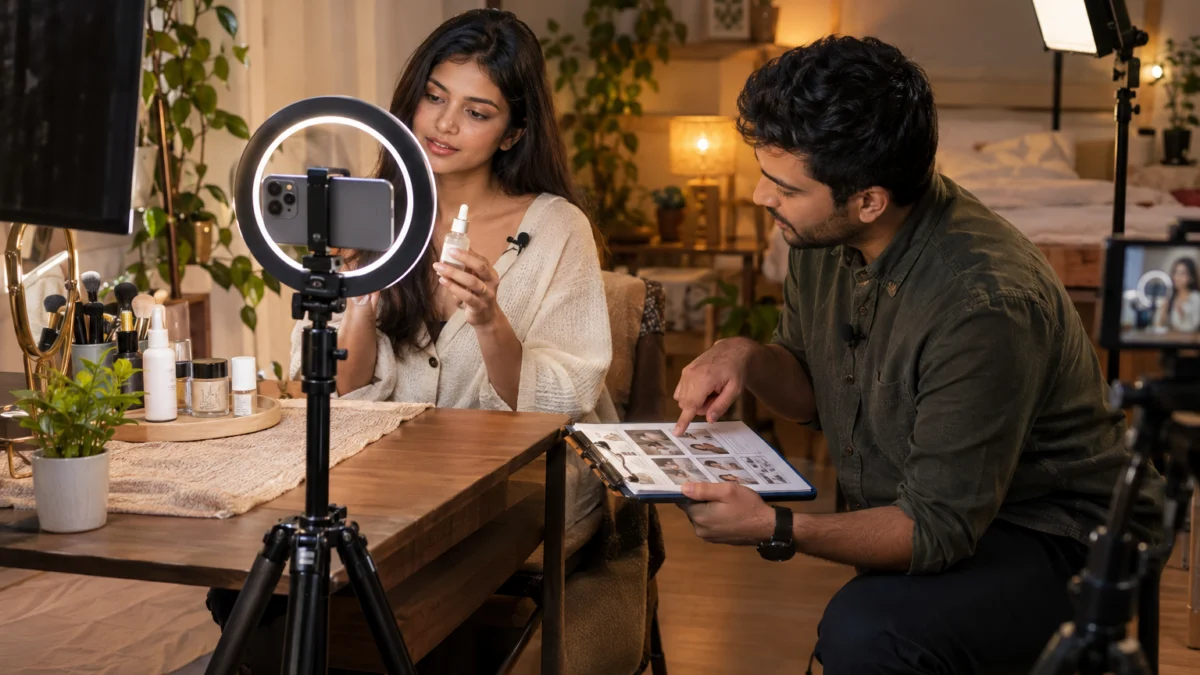
This is the same UGC video approval process we push every client towards at Adverra Studio, whether it is a single tester video or a monthly batch. Standard video turnaround is 5–7 business days from brief approval, and the brands that hit that timeline consistently are the ones who send one clean document per round. If you want help setting it up, WhatsApp us on +91 90153 33841.
One more practical tip on the workflow: name files so that feedback can point at them. “Brand_Serum_HookA_Take3_916_v2” tells everyone which take, ratio and version is being discussed. Our earlier piece on how an agency scales creator content goes deeper into batching, naming and delivery folders.
How do you check claims, ASCI disclosure and usage rights before round one?
Check every spoken and on-screen claim against your substantiation file at the script stage, confirm how disclosure will be shown if the creator’s own handle is involved, and confirm usage rights before editing starts. Compliance problems found in the final cut are the most expensive notes you can send.
Three checks belong before the shoot. First, claims: anything about results, time frames, ingredients or medical-sounding benefits must be something you can substantiate. Second, disclosure: if the video will also go out on the creator’s own profile, the Advertising Standards Council of India’s guidelines for influencer advertising expect a clear, upfront disclosure label. Third, usage rights: paid ads, organic posts, marketplace listings and the duration of use should be agreed in writing. This is practical guidance, not legal advice; your legal team should confirm the wording.
For marketplaces, check listing rules too: a video meant for an Amazon, Myntra or Nykaa product page often has stricter rules on comparisons and on-screen text than a Meta ad. Building a marketplace cut into the brief avoids a separate shoot later.
Tip: keep a one-page “claims we can say” sheet next to the brief. Creators improvise; a list of approved phrases gives them freedom without creating a legal note in round two.
What does a UGC reshoot really cost a D2C brand?
A reshoot costs far more than the creator’s day rate: product re-shipping, a new slot in the creator’s calendar, another edit cycle and a delayed launch. In practice it can push a campaign back by a week or more, which during a sale window costs more than the video itself.
The biggest hidden cost is the launch date. If your festive campaign was planned around a set of fresh creatives and two of them go back for reshoots, the media plan runs on tired ads. That is why we would rather spend more effort on the brief and on alternates during the shoot than on fixing anything afterwards. Our breakdown of what UGC videos cost in India covers the rate side in detail.
Built-in variants are the other safeguard. When a plan already includes several hook variants, a weak opening becomes a test result rather than a revision request. These are the current Adverra Studio plans:
| Plan | What you get | Delivery | Price |
|---|---|---|---|
| Tester | 1 UGC video · 1 creator · 3 hooks · 9:16, 1:1, 4:5 | 7-day delivery | ₹12,000 |
| Growth | 3 UGC videos · 3 creators · 5 hooks each · all ratios + thumbnails | Priority 5-day delivery | ₹33,000 |
| Monthly | 10 UGC creatives a month · dedicated account manager · monthly review | Rush delivery available | ₹1,00,000 / month |
Plans as listed on adverrastudio.com. Call or WhatsApp +91 90153 33841 for a custom quote.
If a mispronounced line or a changed offer is the only problem, a narration fix is often cheaper than any re-record. Our team can add Hindi and English voiceover ads over existing creator footage, which keeps the authentic visuals and replaces only the words. Want a second opinion on a cut that is stuck in revisions? Book a free strategy call or write to [email protected].

What should you check before sending UGC feedback?
Before you send notes, confirm you watched on a phone, merged every reviewer, tagged each note editor or creator, separated must-fix from taste, and checked claims and disclosure. Ten minutes on this list saves days of revision.
- ✓ Watched the cut full screen on a phone, once with sound and once muted.
- ✓ Checked captions and text against the platform safe zones for Reels, Shorts and Stories.
- ✓ Merged all stakeholder notes into one document with one owner.
- ✓ Every note has a timestamp, the issue and the requested change.
- ✓ Notes tagged “Editor” or “Creator”, and “Must-fix” or “Nice-to-have”.
- ✓ No more than three taste notes per round.
- ✓ Claims, offer and disclosure checked against the approved script.
- ✓ Asked the editor for alternate takes before requesting any pickup.
- ✓ Sent within 48 hours of receiving the cut.
For YouTube Shorts placements, check the bottom and right-side overlays as well; the YouTube Help Centre describes how Shorts are displayed. A caption sitting under the like button is a revision you can catch yourself.
What changes for UGC revision rounds in 2026–2027?
Revision rounds are getting faster and more modular. Brands now expect editors to deliver hook, caption and ratio variants from one shoot, AI tools speed up captioning and clean-up, and platforms reward creative diversity over one perfect video.
- Variant-first feedback. Instead of “fix this video”, brands ask “give me three openings to test”. Feedback becomes a test plan.
- AI-assisted edits. Auto-captioning, noise clean-up and reframing make edit-side fixes quicker, which shifts even more problems away from reshoots. Spoken claims and real product handling still need real footage.
- Earlier compliance. With disclosure expectations tightening, claims and labels move to the script step by default.
- Regional versions. Hindi, Hinglish and regional cuts from one shoot are now routine, often handled with voiceover rather than new filming.
The common thread: the more decisions you lock before the shoot, the more your UGC video revisions feedback becomes about choosing the best version rather than repairing a broken one.
UGC video revisions feedback: frequently asked questions
Quick answers to the questions brand teams ask most often about revision rounds and reshoots.
Two consolidated rounds are enough for most UGC videos. Round one covers every edit and creator note in a single document, and round two is limited to must-fixes such as facts, spelling, claims or the wrong product. Anything new after that should become the brief for the next batch of videos.
A revision changes a video using footage that already exists, such as trimming, re-ordering, re-captioning or changing music. A reshoot means the creator has to film again because the needed shot, line or product moment was never captured. A short pickup of one line sits in between and is often the cheapest fix.
It depends on why the reshoot is needed and what was agreed upfront. If the creator missed something written in the approved brief, a fix is usually expected. If the brand changed the claim, offer or product after the shoot, it is a scope change and is normally quoted separately. Agree this in writing before production starts.
You can change on-screen text, captions, the order of lines and sometimes the narration through a voiceover. You cannot change what the creator actually said on camera without a pickup or reshoot. That is why claims, offers and key phrases should be approved at the script stage, before anyone presses record.
Aim to send consolidated feedback within 48 hours of receiving the first cut. Creators and editors work across several projects, and a quick response keeps the footage, the sample and the creator’s availability fresh. Late feedback is one of the most common reasons small fixes turn into new bookings and delayed launches.
Start with what worked, then give one or two specific notes framed as a situation, for example asking them to explain the product as if talking to a friend. Avoid vague words like natural or energetic, never comment on appearance or accent, and correct facts rather than rewriting their personality.
Next step: most revision problems start with a weak opening line. Once your feedback process is fixed, the next upgrade is writing stronger openings before the shoot — our guide to UGC script hooks that convert gives you the formulas to brief creators with. Or call +91 90153 33841 and we will review your last cut with you.
From first cut to approved in two rounds
How Adverra Studio keeps UGC revisions on the edit timeline instead of a new shoot day.
Brief and must-show list locked
Claim, offer, audience and 3 to 5 must-show product moments are written down before casting.
Alternates captured on set
Multiple takes of every hook and extra product close-ups give the editor room to fix notes.
One consolidated feedback document
Every note is timestamped, tagged editor or creator, and marked must-fix or nice-to-have.
Edit-only options pass
The editor solves what the footage allows and flags only genuine pickup needs.
Final must-fix round and export
Approved cuts are exported in 9:16, 1:1 and 4:5 with hook variants ready for testing.
Get UGC that is right in two rounds
Share your product and your last cut. Our team reviews the brief, flags what the edit can fix and plans hook variants. Free Meta Ads audit worth ₹5,000 on request.