Amazon Catalogue Shoot Checklist for Indian Clothing Brands: SKU Shot List and QC Template
A catalogue shoot checklist that starts with your SKU sheet and ends with files your Amazon team can upload without a single re-crop: shot list per garment, set rules, quality checks and naming.
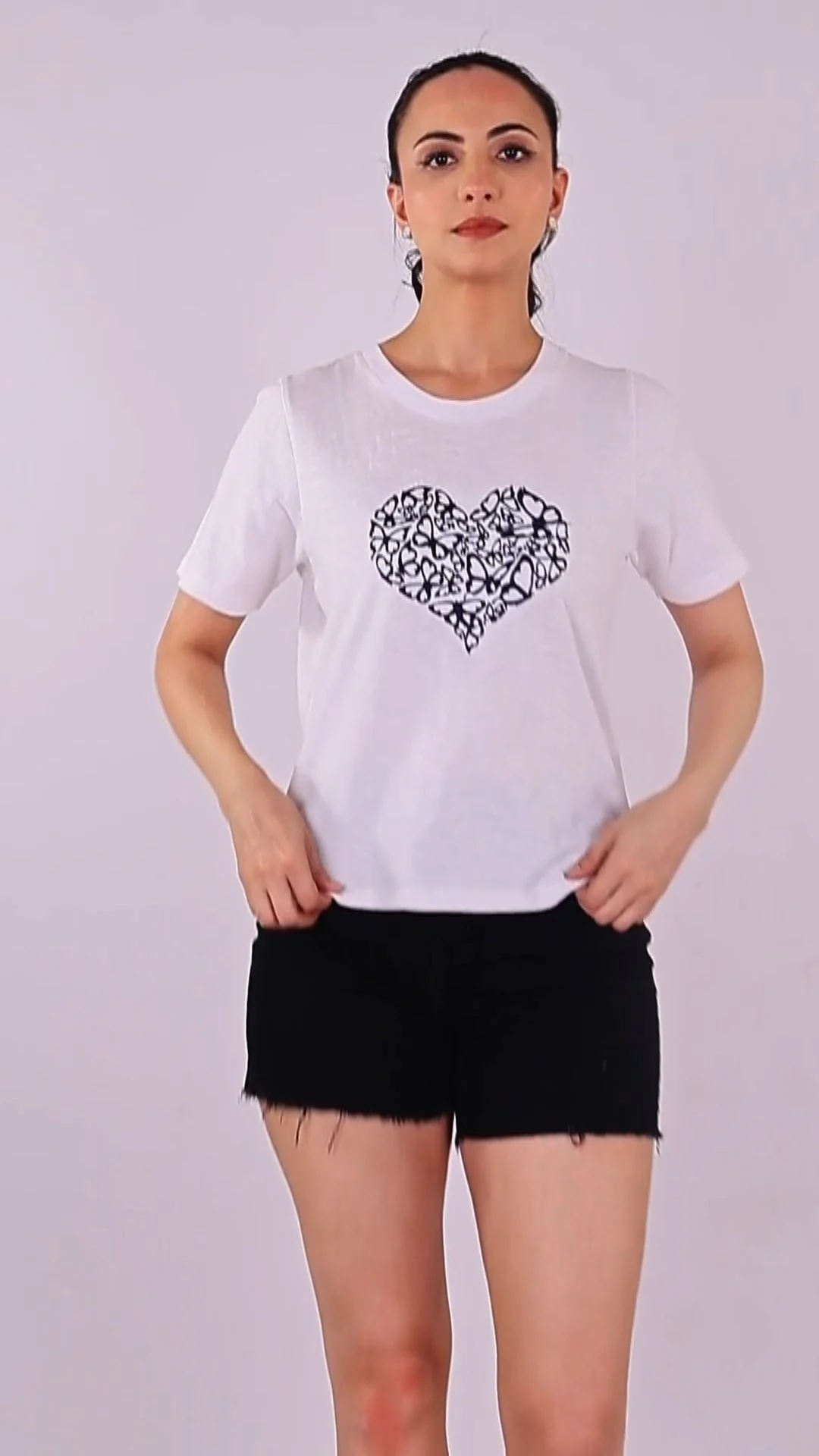
A catalogue shoot checklist is the one document that decides whether 200 SKUs go live on Amazon in a week or bounce back for reshoots in a month. Most Indian clothing brands plan the look of the shoot and forget the paperwork that makes the images uploadable, which is exactly the gap our fashion photography team closes before anyone touches a camera. This guide gives you that paperwork as a working template.
You will get a SKU sheet structure, a shot list per garment type, the set rules that keep colour and scale consistent across a long shoot day, a quality-check routine, and a file naming pattern your upload team can audit. It is written for founders and catalogue managers selling kurtas, sarees, t-shirts, co-ord sets and kidswear on Amazon, with notes for Flipkart, Myntra and Ajio where their needs differ. Spend one hour on the checklist and you save a day on set.
Key takeaways
- Start the catalogue shoot checklist from the SKU sheet, not the moodboard: every image must map to one SKU, colour and size set.
- Lock the main image rules first: pure white background, the garment filling most of the frame, no text, no props.
- Decide on-model, flat lay or ghost mannequin per category before casting, because kidswear and adult wear follow different rules.
- Run garment photo quality checks on set, not after delivery: colour, wrinkles, tags, pins and crop.
- Name files against ASIN or SKU and export per marketplace so nobody re-crops at upload time.
What is a catalogue shoot checklist, and why does Amazon need one?
A catalogue shoot checklist is a pre-shoot and on-set control document that lists every SKU, every required angle, the technical rules each image must meet and the sign-off for each frame. Amazon needs it because its listings are judged image by image, and one non-compliant main image can suppress a listing.
On a lookbook shoot, a creative director can improvise. On a catalogue shoot, improvisation is expensive. A typical Indian apparel brand shoots 80 to 300 SKUs in a batch, each with four to eight frames, often across multiple colourways. Without a checklist, the photographer shoots what looks good, the stylist forgets which colour has already been done, and the catalogue team discovers on upload day that the navy variant has no back view.
Amazon’s product image requirements in Seller Central set the baseline: the main image on a pure white background (RGB 255, 255, 255), the product filling roughly 85% of the frame, and no text, logos or watermarks on the main image. Images of 1,000 pixels or more on the longest side enable zoom. Clothing has its own style guide on top of that, so always confirm the current rules for your exact category inside Seller Central before the shoot.
What a catalogue shoot checklist covers that a shot list does not
A shot list tells the photographer what to capture. A catalogue shoot checklist also tells the stylist how to prep, the retoucher what to fix, and the upload team how files are named and where each one goes. If you already use our fashion shoot shot list for D2C apparel, think of this as the Amazon-specific layer that sits on top of it.
How do you build the SKU sheet for a catalogue shoot?
Build one row per colour variant, not per style, and give each row the SKU code, parent style, colour name, sizes, garment type, shooting method and required frames. The SKU sheet becomes the spine of your catalogue shoot checklist; every frame later gets ticked against it.
The most common mistake is listing styles instead of variants. A kurta style in four colours is four rows, because Amazon shows a separate main image for each colour child. Size variants usually share images, so they sit in one row with a size range column. Add a “sample status” column so the team knows which garments have actually arrived, been steamed and been checked for defects before the shoot day starts.
SKU photography checklist columns to include
- SKU / child ASIN — the exact code your listing uses, copied from the inventory file, never retyped.
- Parent style — groups colourways so the photographer keeps pose and framing identical across them.
- Colour name — the name on the listing, plus a Pantone or swatch reference for colour QC.
- Garment type — kurta, saree, tee, co-ord, kidswear; this decides the shot list.
- Method — on-model, flat lay or ghost mannequin.
- Frames required — the number and the codes (MAIN, PT01, PT02 and so on).
- Sample status — received, steamed, defect-checked, shot, approved.
- Notes — fabric behaviour, print direction, embellishments that need a detail macro.
Share the sheet as a single spreadsheet with edit rights limited to one catalogue owner. When three people edit the same file during a shoot, colour names drift, and drifted names are how a maroon kurta ends up on a wine listing. One owner, one sheet, one source of truth.
Which shots does each clothing SKU need on Amazon?
Plan six to eight frames per colour variant: a compliant main image, back view, side or three-quarter view, fabric close-up, a detail of the neckline, print or embellishment, a fit or size reference, and one lifestyle or styled frame. Amazon allows several additional images per listing, so use every slot for a buying question.
Every frame should answer one question a shopper would otherwise ask in a review or a return reason. “Is the back plain?” needs a back view. “Is it see-through?” needs a fabric close-up in good light. “Where does it fall on a 5’5” woman?” needs a full-length fit frame with the model’s height and size noted in the listing copy. This apparel shot list template keeps the frames consistent across categories.
| Frame code | Shot | Answers the question | Must-have? |
|---|---|---|---|
| MAIN | Front, full garment, pure white background | What is it, what colour? | Yes |
| PT01 | Back view, same pose and framing | Is the back plain, printed or zipped? | Yes |
| PT02 | Side or three-quarter view | How does it drape and fit? | Yes |
| PT03 | Fabric close-up, raking light | What does the fabric feel like? Is it sheer? | Yes |
| PT04 | Detail: neckline, buttons, embroidery, print | Is the work as good as the price? | Yes |
| PT05 | Fit reference: full length with a size note in copy | Where will it fall on me? | Recommended |
| PT06 | Styled or lifestyle frame | How would I wear it? | Recommended |
| PT07 | Size chart or care graphic made in post | Which size do I buy? | Optional |
A starting apparel shot list template. Adjust frame counts per category after checking Amazon’s current clothing style guide.
Category notes for Indian clothing
- Sarees: add a pallu detail, a border detail and a draped full-length frame; a flat fold alone hides the drape that sells the piece.
- Kurta sets: shoot the set together for MAIN, then add separate frames of the dupatta and bottom so the shopper sees every piece included.
- T-shirts and casualwear: keep a consistent model height and pose across colourways; customers compare colours side by side in the variant selector.
- Kidswear: confirm the off-model requirement for children’s clothing in your style guide; plan flat lay or ghost mannequin from the start.

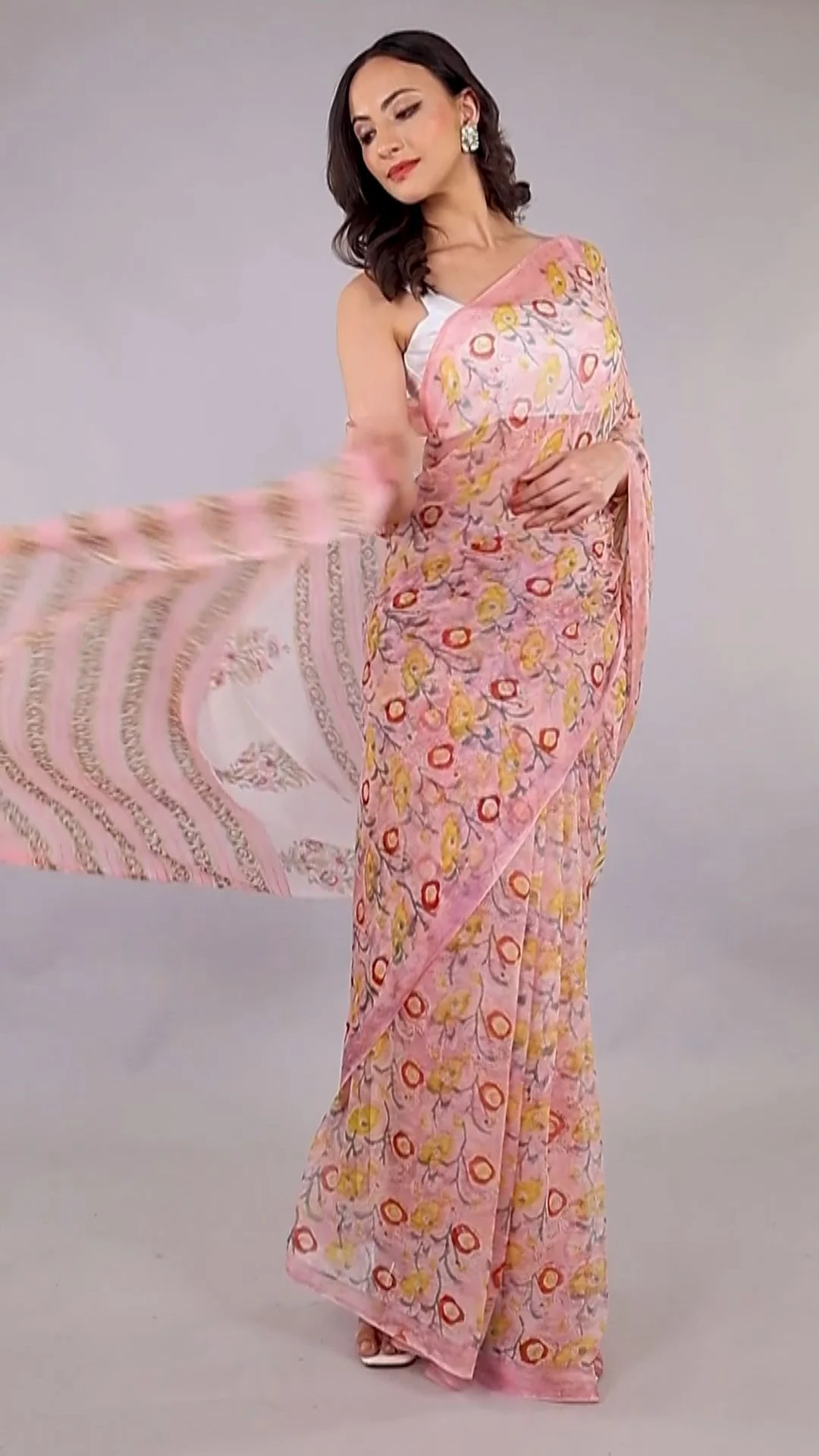
Video is now part of most catalogue briefs. A 10 to 20 second on-model clip that shows the garment moving answers drape questions faster than any still. Capture it in the same session with the same styling so the video and stills match.
Should you shoot on-model, flat lay or ghost mannequin?
Use on-model for adult fashion where fit and drape sell the garment, ghost mannequin when you need a clean shape without a person, and flat lay for kidswear, basics and accessories. Most Indian clothing catalogues need a mix, decided category by category in the catalogue shoot checklist.
| Method | Best for | Strength | Watch out for |
|---|---|---|---|
| On-model | Kurtas, sarees, dresses, co-ords, menswear | Shows fit, drape and scale; builds trust | Model booking, usage rights, pose consistency across days |
| Ghost mannequin | Shirts, jackets, structured tops | 3D shape without a person; very consistent | Needs compositing in post; adds retouch time |
| Flat lay | Kidswear, basics, innerwear, accessories | Fast, cheap, easy to keep consistent | Hides drape; wrinkles show instantly |
When you go on-model, casting is a catalogue decision, not just a creative one. Pick models whose measurements match your size chart’s sample size, and book the same model for all colourways of a style. Our professional models for campaigns and catalogue shoots come with measurements on file, which makes the size-reference note in your listing accurate. Lock the usage period and channels in the model release before the shoot, including marketplace and paid social use.
How do you lock the set so 200 SKUs look like one catalogue?
Fix the camera height, lens, distance, lighting and white balance on the first SKU, record them, and do not change them for the day. Mark floor positions with tape and keep a reference frame on screen so every later SKU is compared to the first.
Consistency is what separates a premium Amazon storefront from a cluttered one. When one kurta is shot at chest height and the next at waist height, the search results page looks like it came from three sellers. Here is the set-lock part of the catalogue shoot checklist we run at Adverra Studio:
- Camera: same body, same focal length (usually a standard zoom fixed at one setting), same height from the floor, tethered to a laptop.
- Distance: tape marks for the tripod and the model so full-length frames crop identically.
- Light: a fixed key and fill with power settings written down; the white backdrop lit separately so it clips to pure white without spilling onto the garment edges.
- White balance: a grey card frame at the start of every session and after every lighting change.
- Styling: one hairstyle, one footwear choice and neutral jewellery per collection, unless the brief says otherwise.
- Steaming station: every garment steamed, de-linted and tag-hidden before it reaches the set, not on it.
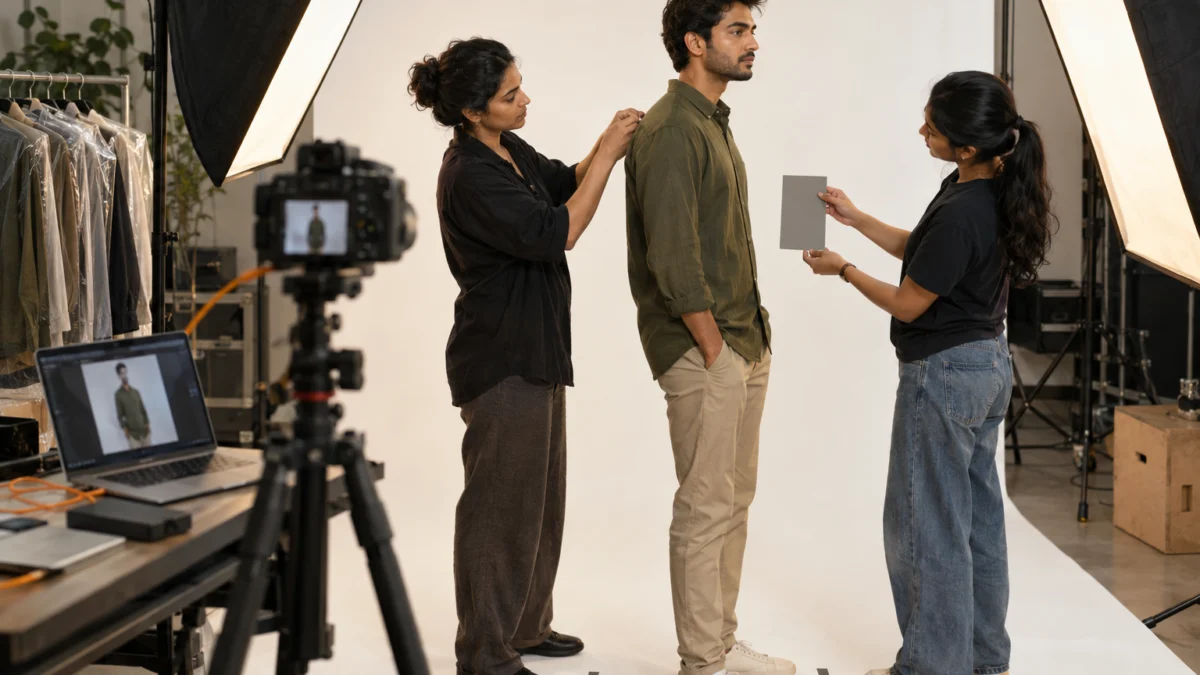
Pins and clips are allowed on set to fix fit, but they must never be visible. Our stylists check the back of the model before every front frame and the front before every back frame. Hidden pins are craft; visible pins are a rejection.
How do you run garment photo quality checks before you sign off?
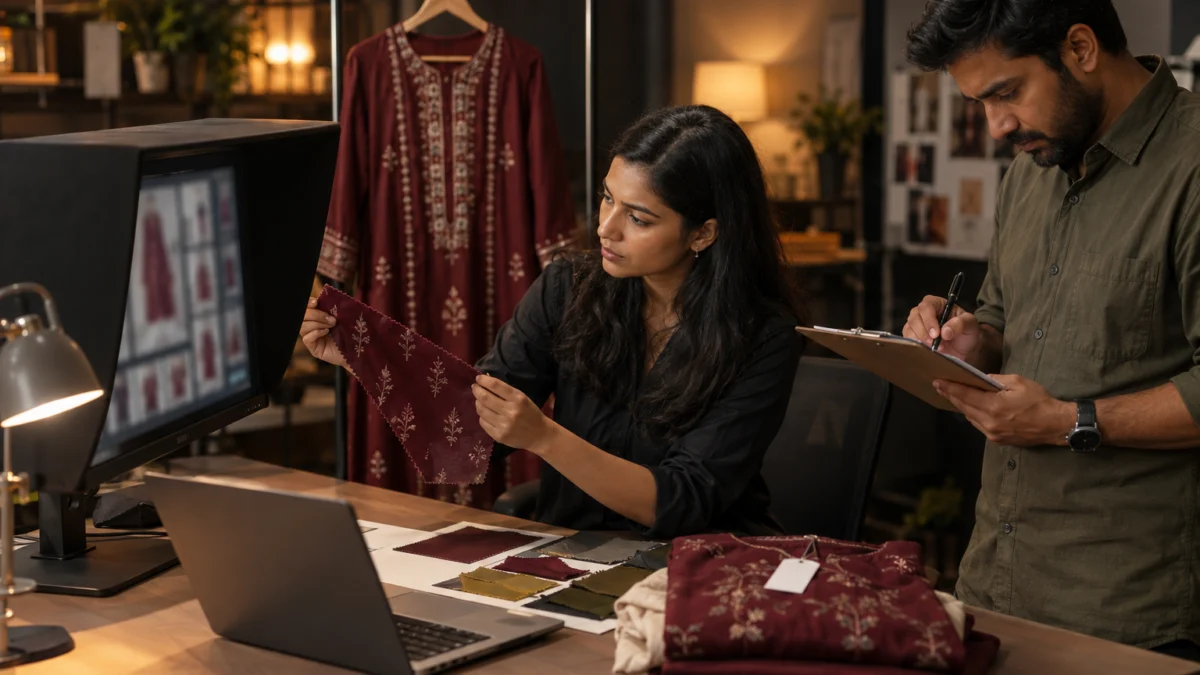
Check every frame on a calibrated screen against the physical garment for colour, then for wrinkles, lint, loose threads, visible tags, pins, crop and background purity. Approve frames SKU by SKU on set, so a fix costs one reshoot minute rather than a second shoot day.
Colour mismatch is the most expensive defect in apparel e-commerce because it shows up as returns, not as a rejected upload. Hold the actual garment beside the monitor under daylight-balanced light and compare. If the maroon reads as red, fix it in the capture profile, not one image at a time in retouching. These garment photo quality checks belong on the same sheet as the SKU list:
- Colour: matches the physical sample and the colour name on the listing.
- Background: main image background reads pure white (255, 255, 255) in an eyedropper check, with no grey edges.
- Fill: the garment occupies roughly 85% of the main frame, centred, nothing cropped.
- Garment condition: no creases, lint, threads, price tags, size stickers or visible pins.
- Pose and framing: identical to the parent style’s reference frame.
- Resolution: longest side well above 1,000 px so zoom works; we deliver larger masters.
- Main image content: no text, badges, logos or extra props on the main frame.
Who signs off in the catalogue shoot checklist
Give sign-off to one person from the brand, ideally the catalogue or category manager, not the founder’s WhatsApp group. They approve on set or within a fixed window the same day. A clear sign-off rule is how Adverra Studio keeps photography delivery at 48–72 hours after the shoot: when approvals are scattered across a week, no studio can hold that timeline.
How should you name and export files for Amazon and other marketplaces?
Name every file with the SKU or ASIN plus a frame code, for example ASIN.MAIN.jpg and ASIN.PT01.jpg, and export a separate folder per marketplace with that platform’s crop and size. Product image file naming that matches the SKU sheet lets your team bulk-upload without opening a single image.
Amazon’s bulk image upload reads the file name to attach each image to the right listing, so the convention is not cosmetic. Use the identifier your account actually uploads against, keep the frame codes in the same order as your shot list, and never use spaces or colour names in file names. Here is a folder structure that works for marketplace image exports:
- /masters/ — full-resolution retouched files, never uploaded directly, kept for future crops.
- /amazon/ — square or Amazon-preferred crops, sRGB JPEGs, named ASIN.MAIN, ASIN.PT01 and so on.
- /myntra-ajio/ — portrait crops at each platform’s current spec, named with the SKU code.
- /flipkart/ — exports per Flipkart’s category guidelines.
- /social/ — 4:5 and 9:16 crops for Instagram and Meta Ads, cut from the masters.
If you also list on Google Shopping through your own site, the Google Merchant Center image guidelines ask for similar clean product images without promotional overlays, so the Amazon main frame usually doubles as your Google feed image. That reuse is a hidden saving of a disciplined catalogue shoot checklist.
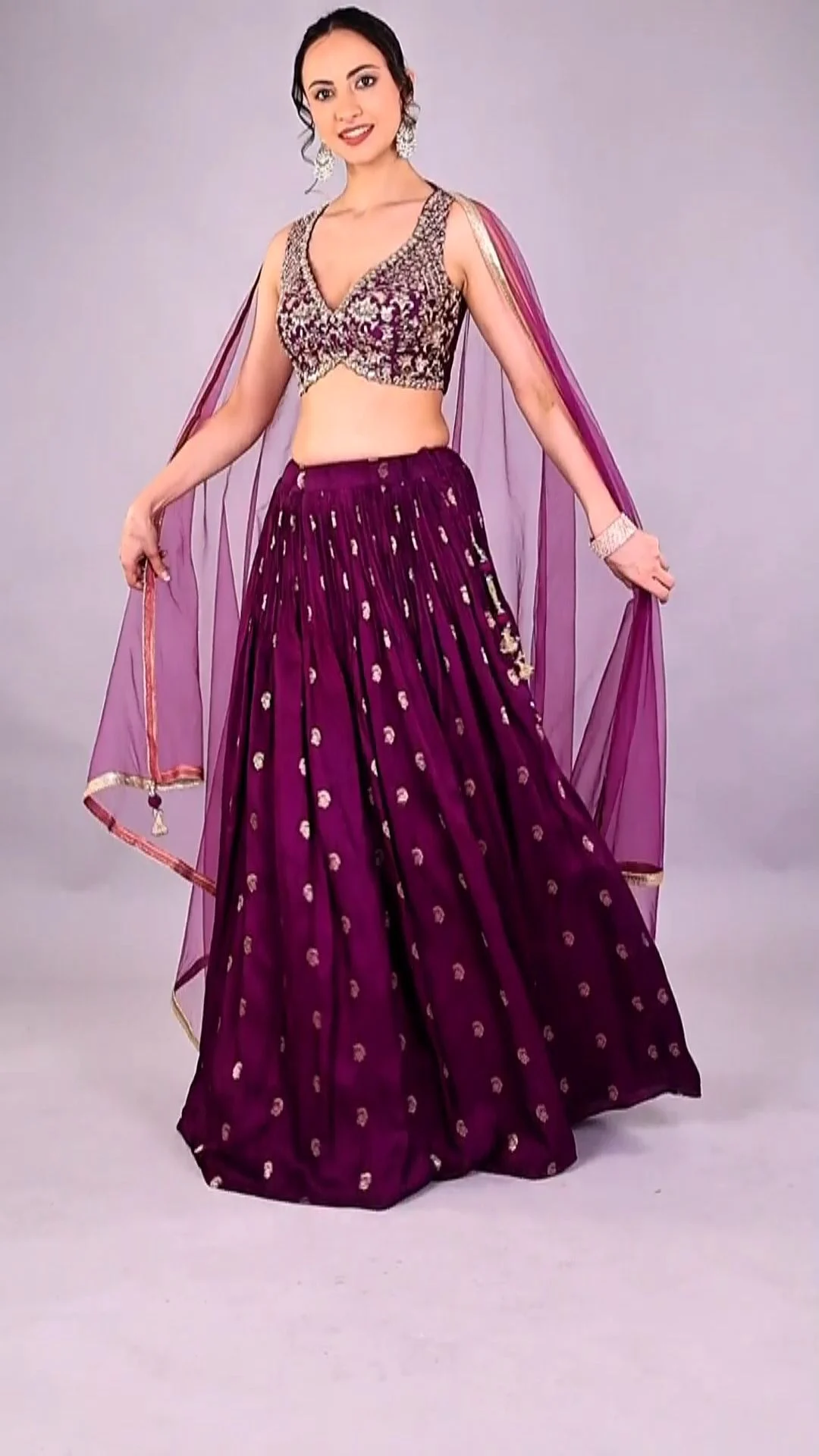
Copy this catalogue shoot checklist template
Use the nine-stage template below as your working catalogue shoot checklist: three stages before the shoot, three on set and three after. Tick each line per SKU, and do not move to the next stage until the current one is complete.
Before the shoot
- SKU sheet frozen: one row per colour variant, frame codes assigned, owner named.
- Samples prepped: every garment received, steamed, defect-checked and grouped by parent style.
- Clothing shoot brief signed: method per category, model sizes, styling rules, reference images, marketplaces and exports listed.
On set
- Set locked: camera, distance, light and white balance recorded on the first SKU.
- Frames captured: every frame code ticked per SKU, plus the short motion clip where planned.
- On-set QC passed: colour, condition, crop and background checked and approved by the brand’s sign-off owner.
After the shoot
- Retouch to spec: background clean-up, colour match, lint and crease removal; no reshaping of the garment beyond what it really looks like.
- Exports and naming: masters plus marketplace folders, named against the SKU sheet.
- Upload test: upload five SKUs first, check how they render on mobile and desktop, then release the batch.
Pro tip from our studio: keep the template open on a tablet at the set. When the stylist, photographer and catalogue owner all see the same row, missed frames drop sharply. If you want our team to run this end to end, call +91 90153 33841 or email [email protected].
Which catalogue shoot mistakes cause reshoots?
Reshoots usually come from five avoidable gaps: missing colour variants, off-white backgrounds, inconsistent framing across colourways, visible tags or pins, and colour that does not match the garment. Each one is a line in the catalogue shoot checklist that someone skipped.
- Shooting styles, not variants. The SKU sheet listed the kurta once; the listing needed four colours.
- “Nearly white” backgrounds. A light grey wash looks fine on a laptop and fails an eyedropper check.
- Changing the set mid-day. A new light after lunch makes the afternoon SKUs look like a different brand.
- No fabric close-up. Shoppers return what they could not judge, especially sheer cotton and georgette.
- Over-retouching. Slimming a garment’s silhouette or changing its colour to “pop” creates a promise the product cannot keep.
- Unclear model usage. Images get pulled from Meta Ads because the model release only covered marketplace use.
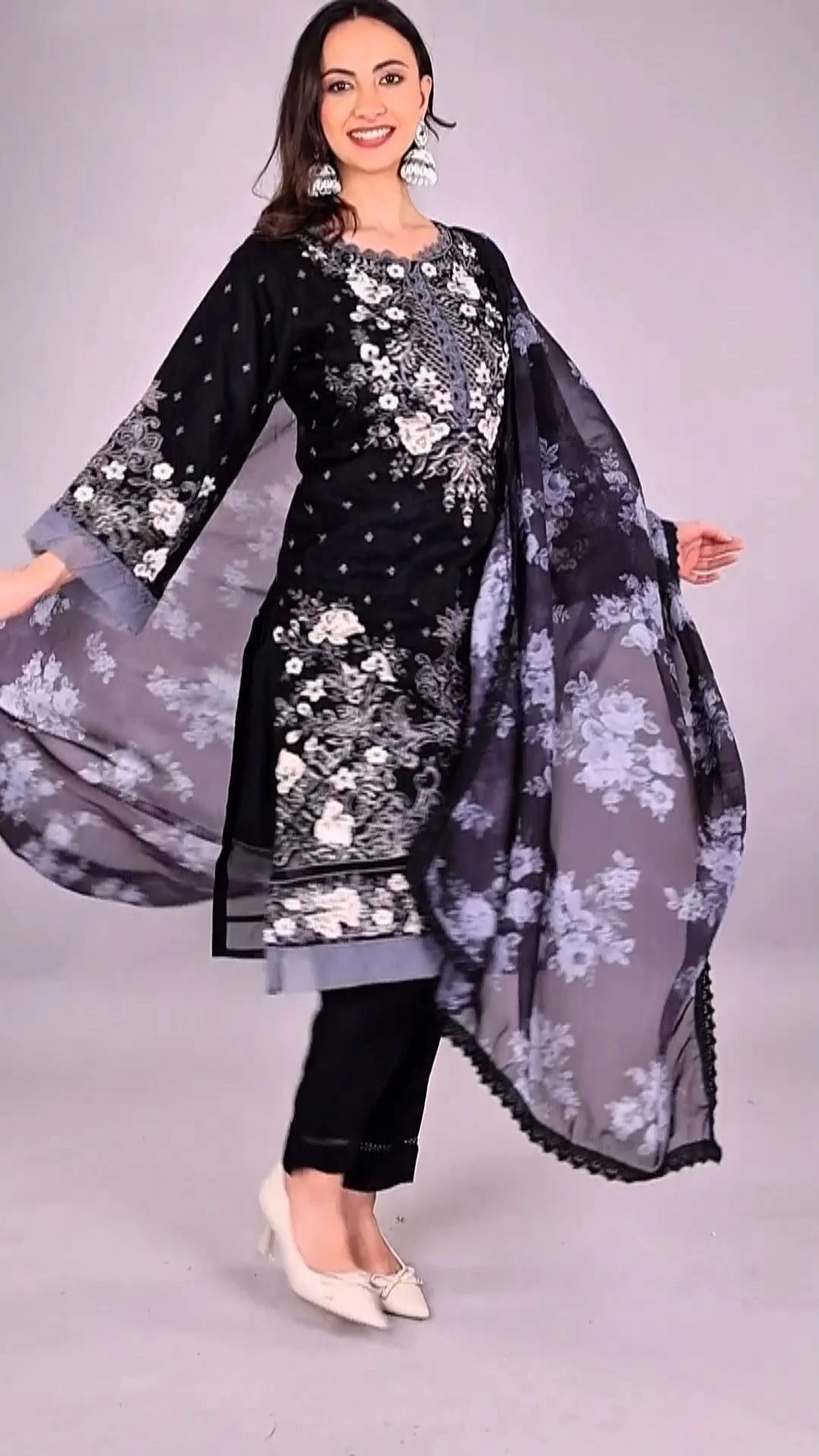
What does an Amazon catalogue shoot cost, and how long does it take?
Catalogue shoot cost depends on SKU count, method (on-model costs more than flat lay), frames per SKU, models and retouching depth, so Adverra Studio quotes per project. Turnaround for photography is 48–72 hours after the shoot once approvals are on time.
For catalogue shoot planning, budget by SKU rather than by day. A day rate hides the real variable: how many approved frames you get. Ask any studio, including us, for a quote that states SKUs, frames per SKU, method, number of models, retouch level, export sets and delivery time. Fashion shoots and model bookings at Adverra Studio are quoted per campaign, so call or WhatsApp +91 90153 33841 with your SKU sheet for a precise number.
Many brands pair the catalogue with short creator videos for their A+ content and ads. If that is your plan, brief both together: the same garments, the same colour names, one sample run. Our team can add creator-made product videos to the same production so the stills and UGC tell one consistent story, and our marketplace notes in UGC for e-commerce marketplaces explain where those clips fit on listings.
Which catalogue trends matter for 2026–2027?
Three shifts matter for Indian clothing catalogues: motion on product pages, more size-inclusive model references, and AI-assisted retouching that needs stricter honesty checks. Build all three into your catalogue shoot checklist now rather than reshooting later.
- Motion by default: short on-model clips are becoming standard on Amazon, Myntra and Ajio listings; capture them in the same session.
- Two body references: more brands show a style on two sizes so shoppers can judge fit; plan casting for it.
- AI retouching with limits: AI tools speed up background clean-up and crease removal, but colour and silhouette must stay true to the garment.
- Vertical crops from catalogue masters: shoot with headroom so 9:16 crops for Reels and Meta Ads work without reshoots.
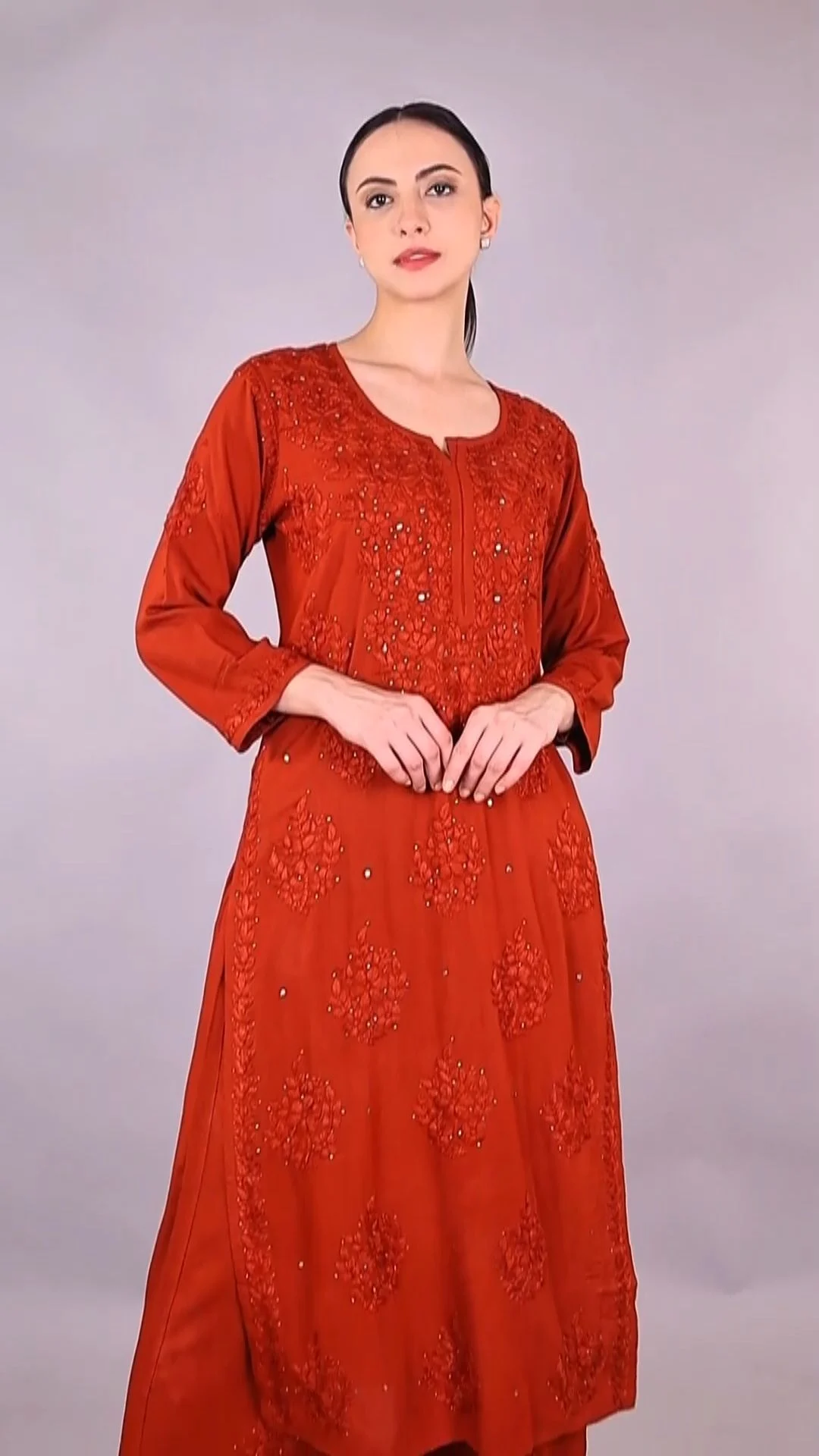
Catalogue shoot checklist FAQs
Quick answers to the questions Indian clothing brands ask us before an Amazon catalogue shoot.
A catalogue shoot checklist should include a SKU sheet with one row per colour variant, a frame list per garment type, the method for each category, set-lock settings, on-set quality checks, a sign-off owner, retouching rules, file naming and a folder of exports per marketplace. Each line is ticked per SKU before the next stage starts.
Plan six to eight images per colour variant: a compliant main image plus back, side, fabric close-up, detail, fit reference and one styled frame. Amazon allows several additional images per listing, so use each slot to answer a buying question shoppers would otherwise raise in reviews or as a return reason.
Amazon asks for a pure white background, RGB 255, 255, 255, on the main image, with the product filling roughly 85% of the frame and no text, logos or props. Clothing has an additional style guide, so confirm the current rules for your exact category in Seller Central before the shoot.
Plan kidswear main images as flat lay or ghost mannequin unless your category style guide clearly allows on-model. Children’s clothing has historically had off-model rules for the main image. Check Seller Central for your category first, then lock the method in the SKU sheet before booking any models or props.
Name each file with the identifier your account uploads against plus a frame code, such as ASIN.MAIN.jpg, ASIN.PT01.jpg and ASIN.PT02.jpg. Avoid spaces and colour names in file names. Keep frame codes in the same order as your shot list so bulk uploads attach every image to the right listing.
Adverra Studio delivers photography within 48–72 hours after the shoot, retouched and exported per marketplace, provided the brand approves frames on set or the same day. Pricing for fashion shoots is quoted per project based on SKUs, method and models; call or WhatsApp +91 90153 33841 with your SKU sheet.
Your next step: freeze the SKU sheet, fill in the nine-stage template and send both to your production partner for a scope. If you want Adverra Studio to run it, review our fashion photo and video shoot deliverables and share your catalogue shoot checklist with us on +91 90153 33841, WhatsApp +91 90153 33841 or [email protected].
From SKU sheet to upload-ready files
How Adverra Studio runs an Amazon catalogue shoot for Indian clothing brands.
Freeze the SKU sheet
One row per colour variant with frame codes, method and sample status.
Prep and brief
Steam, defect-check and group samples; sign the clothing shoot brief.
Lock the set
Camera, distance, light and white balance fixed on the first SKU.
Shoot and approve on set
Every frame ticked and checked for colour, condition and crop.
Retouch, name and export
Masters plus marketplace folders named against the SKU sheet, delivered in 48–72 hours.