Meta Reels Ad Safe Zones: The 12-Point 9:16 Checklist for D2C Brands (2026–2027)
Meta Reels ad safe zones decide whether your hook, captions, price and CTA are actually seen. Here is the frame map and the 12 checks we run on every vertical ad before it goes live.

Meta Reels ad safe zones are the parts of a 9:16 frame that stay visible once Instagram and Facebook lay their own interface on top of your video. The username, caption text, audio label, like and share icons and the CTA button all sit over your ad. If your hook line, price or product shot lands under them, you paid for an impression nobody could read. Most of the UGC video ads we audit for D2C brands do not have a weak idea. They have a layout problem, and it is the cheapest problem in performance marketing to fix.
This checklist is written for founders, Meta Ads managers and in-house editors who shoot or commission vertical creatives. You will get a pixel map of the 1080×1920 frame, the Reels ad specs that matter, a 12-point checklist split into brief, shoot, edit and QA, and a simple way to test whether the fix moved your numbers. At Adverra Studio we run these exact checks on every creator video before delivery, because a creative that hides its own hook will never get a fair test.
Key takeaways
- Shoot and edit at 1080×1920 (9:16) and design to the strictest safe area: keep the top ~14% and bottom ~35% free of key text.
- Keep a 6% side margin, and more on the right, where the like, comment and share icons stack.
- Brief creators on framing before the shoot — a safe-zone fix in the edit cannot move a product that was filmed at the bottom of the frame.
- Put the ASCI disclosure label, price and claim text inside the safe area so they are readable, not just technically present.
- Always check the real placement preview in Ads Manager on a phone before you publish.
What are Meta Reels ad safe zones, and why do they break D2C ads?
Meta Reels ad safe zones are the central area of a 9:16 video that no app interface covers. Anything outside it — the top strip, the bottom third and the right edge — can be hidden by the profile name, caption, audio line, engagement icons or CTA button. Text and product shots placed there are effectively invisible.
Think of a Reels ad as two layers. Your video is the bottom layer. On top, Meta draws its own UI overlay: the sponsored label and profile at the bottom-left, a two-line caption that expands on tap, the audio or music line, a vertical stack of like, comment, share and more icons on the right, and a CTA button such as Shop Now or Learn More. None of that is optional for the advertiser, and it changes slightly between Instagram and Facebook, between app versions and between phones.
For D2C brands the damage is specific. A beauty brand puts “Dermatologist tested” as a lower-third. A food brand writes “₹ off today” just above the bottom edge. A fashion label frames the model’s full look so the shoes sit in the last 300 pixels. In every case the line that does the selling sits exactly where the overlay lives. The ad still spends; it just persuades less.
The fix is not complicated, but it has to start before the edit. A safe-zone rule written only for the editor gets fixed with tiny text and awkward crops. A rule written into the creator brief changes where the product is held, where the creator stands and how much headroom the shot keeps. That is why this guide treats Meta Reels ad safe zones as a production standard, not a design afterthought.
What are the Reels ad specs you should build for in 2026–2027?
Build every Reels ad at 1080×1920 pixels, 9:16 aspect ratio, as an MP4 or MOV file with H.264 video and AAC audio. Keep sound on, add burned-in captions and plan the hook for the first one to three seconds. For exact current limits on length and file size, check the Meta Ads Guide before export.
Meta publishes its live placement requirements in the Meta Ads Guide, and those numbers do get updated, so treat the table below as the production standard we work to, not a substitute for the official page. The practical point: the Instagram Reels ad size and the Facebook Reels ad size are the same 9:16 canvas, so one master file can serve both if you respect the safe area.
| Spec | What we deliver | Why it matters |
|---|---|---|
| Resolution | 1080×1920 px | Lower resolutions look soft on modern phones and text edges blur. |
| Aspect ratio | 9:16 master, plus 4:5 and 1:1 cut-downs | 9:16 fills the Reels screen; other ratios serve Feed and older placements. |
| File format | MP4 or MOV, H.264, AAC audio | Widely accepted and avoids re-encoding artefacts on upload. |
| Reels ad length | 15–30 seconds for most D2C offers | Short enough to hold attention, long enough for hook, proof and CTA. |
| Sound | Voice or music mixed for phone speakers | Reels is a sound-on surface, but captions must still carry the message. |
| Captions | Burned-in, 2 lines max, inside the safe area | Many viewers start muted; captions placed low get covered. |
One honest note on Reels ad length: Meta allows much longer videos than you should run. In our edits, the version that wins is usually the one that makes its point by second three and closes by second twenty-five. Length is a creative decision, not a spec you fill.
How do you map Meta Reels ad safe zones on a 1080×1920 frame?
Draw guides at 14% from the top (about 270 px), 35% from the bottom (about 670 px) and 6% from each side (about 65 px), with extra margin on the right for the icon stack. Everything that sells — face, product, hook text, price, claim, disclosure — goes inside that box.
Here is the awkward truth: published measurements do not agree. Third-party guides built from ad previews quote a bottom margin anywhere from roughly 20% to 35% of the frame, partly because the caption expands, and partly because Meta has been unifying Stories and Reels guidance. We do not try to guess the exact pixel. We design to the strictest version, so the ad stays readable on every phone, in both apps, with the caption collapsed or open.
| Zone | Share of frame | Approx. pixels (1080×1920) | What covers it | What to put there |
|---|---|---|---|---|
| Top strip | ~14% | Top 270 px | Status bar, Reels header, sponsored label on some layouts | Background, headroom, nothing readable |
| Bottom third | ~35% | Bottom 670 px | Profile, caption, audio line, CTA button | Hands, table, b-roll texture — never text |
| Right edge | ~6% plus icon column | 65 px, about 120 px in the lower half | Like, comment, share, more icons | Keep text left-aligned or centred |
| Left edge | ~6% | 65 px | Rounded corners, phone cropping | Margin only |
| Safe centre | ~51% of height | About 1,080 x 980 px | Nothing | Face, product, hook, price, claim, ASCI label |

Build one Meta Reels ad safe zones template and reuse it
Create a 1080×1920 project in your editor with the four guides locked on a separate layer, export it as a PNG overlay, and share it with every editor and creator who touches your account. A creator can even load it as a transparent overlay while framing on a phone. The template takes ten minutes to build and saves days of rework over a quarter.
What is on the 12-point Meta ad creative checklist?
The checklist covers four moments: the brief, the shoot, the edit and the final QA. Three checks per moment is enough to catch almost every safe-zone failure we see, as long as nobody skips the brief and the phone preview.
We use this Meta ad creative checklist as a sign-off sheet. Nothing is delivered until each line is ticked by someone who did not edit the video. That second pair of eyes matters more than any tool.
Before the shoot: brief creators around Meta Reels ad safe zones
- Frame for 9:16 from the start. The creator films vertical at 1080×1920 or higher, never a horizontal clip cropped later.
- Mark the product zone. The brief says where the product is held: chest to chin height, centred, never on the table edge at the bottom of frame.
- Leave headroom. Keep space above the head so the top strip shows background, not the creator’s eyes.
On set: framing that survives the overlay
- Check the overlay live. Load the safe-zone PNG on the monitor or phone so framing is judged against the real box.
- Shoot safety coverage. Capture one slightly wider take of every key line so the editor can reframe without losing the face.
- Keep demos high. Texture swatches, pours and unboxing reveals happen in the centre of frame, not in the creator’s lap.
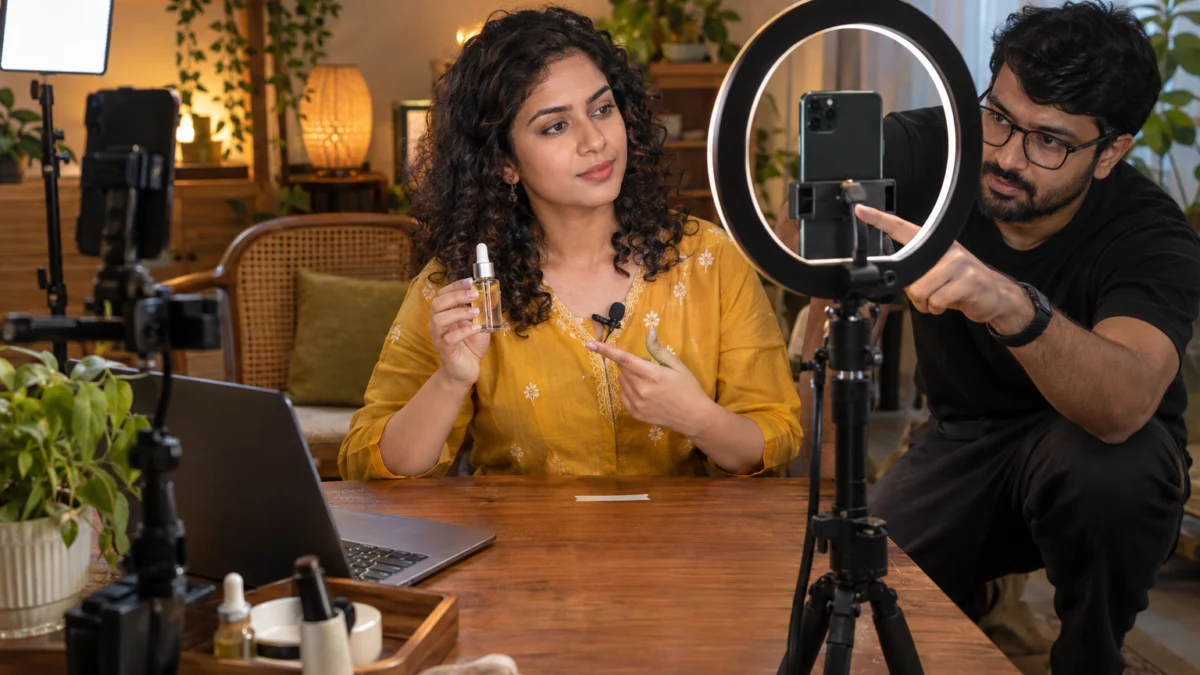
When brands send product to individual creators without this brief, the footage usually comes back beautiful and unusable: hands at the bottom, product half hidden. Proper creator-made product videos are shot with the ad layout in mind, so the editor is not forced to choose between the hook and the product.
In the edit: captions, text and CTA inside the Meta ads text safe area
- Captions in the safe band. Burned-in captions sit in the middle third, two lines maximum, high-contrast, never below the 1,250 px line.
- Hook text in the first frame. The opening line is on screen from frame one, inside the safe centre, readable without sound.
- Price, offer and claim text placed high. Anything legal or commercial sits where no icon or caption can cover it.
Before upload: QA in Ads Manager
- Preview on a real phone. Use Ads Manager’s placement preview and send it to a phone; check Instagram Reels and Facebook Reels separately.
- Expand the caption. Tap the primary text open and confirm it still does not cover the product or the disclosure label.
- Check every ratio. Confirm the 4:5 and 1:1 versions were reframed, not just letterboxed, and that each keeps its own safe area.
Where should captions, prices and ASCI disclosure labels go?
Put captions, price callouts and disclosure labels in the safe centre, ideally between 30% and 60% of the frame height. Text placed lower is the first thing the Reels caption and CTA button cover, which is the most common cause of Reels ad caption overlap.
Reels ad caption overlap happens when your burned-in subtitles and Meta’s own primary text compete for the same bottom strip. The fix is to move your captions up, keep them to two short lines and use a solid or semi-solid background box so they stay readable over busy footage. Hindi and Hinglish captions need extra care: Devanagari text needs a little more line height, and mixed-script lines wrap unpredictably, so we test both on a phone.
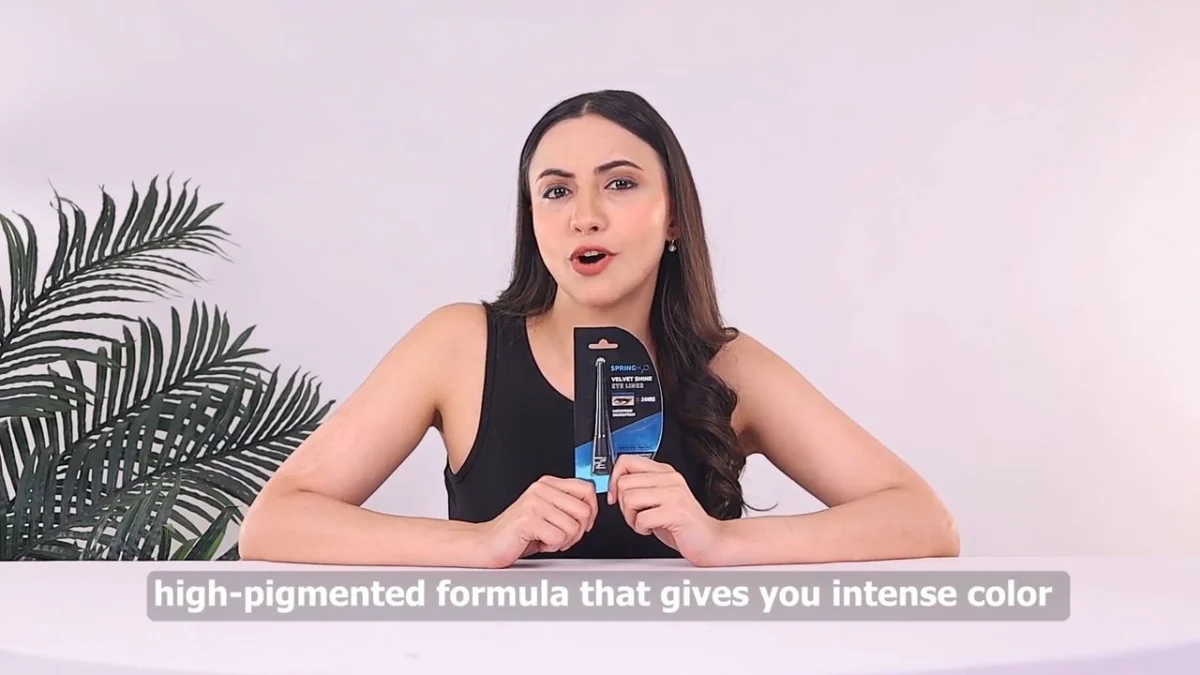
Voice carries the message when text cannot. If your ad relies on a long benefit list, a clean voice track does that job better than six caption cards fighting the overlay. For regional campaigns, Hindi and English voiceover ads let you keep on-screen text to a short hook and a price, which is exactly what fits inside the safe zone.
ASCI disclosure labels and claims inside Meta Reels ad safe zones
When a creator or influencer features your product in a paid ad, India’s advertising code expects the material connection to be disclosed clearly and prominently. The Advertising Standards Council of India (ASCI) guidance asks that disclosure labels be placed so an average viewer cannot miss them. A label tucked under the profile name or beside the share icon fails that intent, even if it is technically in the file. We place the label in the upper safe band, keep it on screen long enough to read, and keep claims like “clinically tested” there too, alongside proof the brand can substantiate.
Usage rights for creator footage are agreed in writing before the ad runs, including duration and platforms. This is practical production guidance, not legal advice.
How do Reels safe zones differ from Stories, Feed and other placements?
Reels and Stories share the 9:16 canvas, but Reels adds the caption, audio line and engagement icons, so its bottom and right margins are stricter. Feed shows the full 4:5 or 1:1 frame with text outside the video. One master built for the Reels safe area usually works across all three.
Meta’s Advantage+ placements will happily push one creative across Feed, Stories, Reels and more. That is efficient only if the asset was designed for the toughest placement first. We treat Reels as the strictest box, then reframe outward.
| Placement | Canvas | Main overlay risk | Our rule |
|---|---|---|---|
| Instagram Reels | 9:16 | Caption, CTA, audio line, right icon stack | Strictest box: 14% top, 35% bottom, 6% sides |
| Facebook Reels | 9:16 | Similar overlay, layout differs slightly by app version | Same box, preview separately |
| Stories (IG and FB) | 9:16 | Profile at top, reply bar and CTA at bottom | Reels-safe master already passes |
| Feed | 4:5 or 1:1 | Cropping in the grid, not overlays | Reframe the master; never letterbox a 9:16 |
What are the most common safe-zone mistakes we fix?
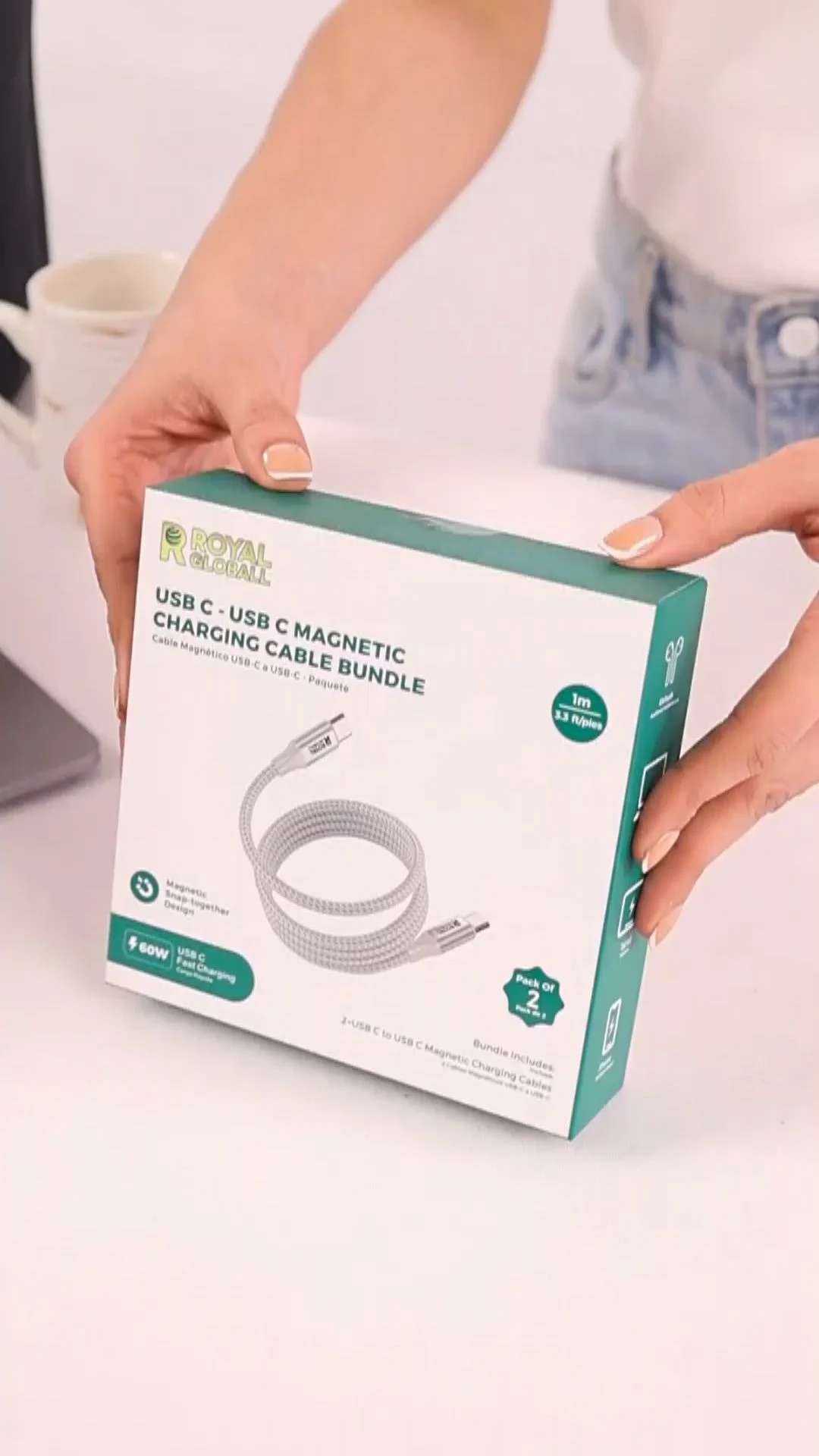
The repeat offenders are low captions, prices placed in the bottom third, horizontal footage centre-cropped to 9:16, and end cards with a URL hidden behind the CTA button. Each one is easy to prevent and expensive to ignore.
- Lower-thirds copied from YouTube edits. A lower-third is designed for 16:9; in Reels it lands right on the caption.
- Price stickers in the corner. Bottom-right is where the icon stack and CTA meet — the worst spot on the canvas.
- Centre-cropped wide footage. A 16:9 shot cropped to 9:16 cuts off hands and product, then tempts editors to scale text down.
- End cards with tiny URLs. The CTA button already handles the click; the end card should show the product and one line.
- Text-heavy first frames. Six words of hook beat a paragraph; dense text cannot be read in the first second.
- Skipping the phone preview. A desktop preview hides how small and crowded the real screen is.
One line I repeat to clients: a safe zone is not a design rule, it is a media-buying rule. Every hidden word is budget spent on a weaker ad. If you want an outside view, call or WhatsApp +91 90153 33841 and we will review three of your live Reels ads against this checklist.
How do you test whether a safe-zone fix improved performance?
Run the original and the safe-zone-corrected version as separate ads in the same ad set with the same budget, and compare hook rate, hold rate, CTR and cost per purchase after enough spend for each to exit the noise. Change only the layout, nothing else.
Hook rate is the share of impressions that watch at least three seconds of the video; hold rate is the share that keeps watching to a later checkpoint, such as fifteen seconds. If a fix only moves text, you should see the change in CTR and conversion rate more than in hook rate, because viewers were already watching but could not read the offer. If you also moved the product into the safe centre, hook rate often moves too.

Layout discipline is one part of a broader creative system. In our Snackible UGC ads case study, a fresh set of creator ads brought CPA down 42% within 30 days at a 3.5x ROAS. Safe-zone-correct framing was a baseline in that work, not the whole story: hooks, creators and offers did the heavy lifting. The lesson is simple — never let layout be the reason a good idea loses a test.
Keep a short log for every test: date, ad names, what changed, spend per variant and the result. Over a quarter, that log becomes your own safe-zone evidence, which is far more useful than any generic benchmark. Read Meta’s own guidance on split testing in the Meta Business Help Centre before setting up a formal A/B test.
Which tools and templates help you stay inside the safe area?
You need three things: a locked 1080×1920 overlay template in your editor, the placement preview in Ads Manager, and a real phone. Everything else — caption plugins, design tools, shared checklists — just makes those three faster.
- Editor overlay: a PNG with the 14% / 35% / 6% guides, locked on the top layer in Premiere Pro, CapCut, DaVinci Resolve or Final Cut.
- Design tools: a matching Figma or Canva frame for static text cards and end cards.
- Ads Manager preview: the per-placement preview, sent to a phone, for every new ad.
- Shared checklist: the 12 points above in a sheet, ticked per creative before upload.
- Creator brief: a one-page framing guide with a sample frame and product position.
If you are deciding between generated and filmed footage, framing control is one of the trade-offs we cover in our comparison of AI UGC and real creator UGC. Whichever route you pick, the same safe-zone template applies.
What will change for Reels ad layouts in 2026–2027?
Expect more automation and more overlays, not fewer. Meta keeps adding interactive elements, AI-generated variations and automatic enhancements, which makes a clean, centred master file more valuable every quarter.
- Unified 9:16 guidance: Stories and Reels layouts are converging, which favours one strict safe box over placement-specific tweaks.
- Automatic creative enhancements: Meta’s tools may crop, add music or generate variations; text inside the safe centre survives these changes best.
- More regional-language ads: as more Indian D2C brands test Hindi, Tamil, Telugu and Bengali creatives, longer captions will need more careful line breaks inside the same safe box.
- Higher creative volume: brands testing 10–20 creatives a month cannot hand-check each one, so a template and checklist become the system.
None of this changes the core rule. Keep what sells in the middle, preview on a phone, and keep a written standard everyone follows.
What does it cost to get safe-zone-ready UGC ads made?
At Adverra Studio, every UGC ad plan includes 9:16, 1:1 and 4:5 versions built to these safe-zone rules. Plans start at ₹12,000 for one UGC video creative with three hook variants.
| Plan | What you get | Delivery | Price |
|---|---|---|---|
| Tester | 1 UGC video · 1 creator · 3 hooks · 9:16, 1:1, 4:5 | 7-day delivery | ₹12,000 |
| Growth | 3 UGC videos · 3 creators · 5 hooks each · all ratios + thumbnails | Priority 5-day delivery | ₹33,000 |
| Monthly | 10 UGC creatives a month · dedicated account manager · monthly review | Rush delivery available | ₹1,00,000 / month |
Plans as listed on adverrastudio.com. Call or WhatsApp +91 90153 33841 for a custom quote.
For a fuller breakdown of what drives creator fees, edits and usage rights, see our guide to what UGC videos cost in India. Want a quick second opinion first? Book a free Meta Ads audit through the Adverra Studio contact page, or email [email protected] with links to your live ads.
Meta Reels ad safe zones: frequently asked questions
Short answers to the questions brands ask us most often about Reels layouts, specs and captions.
Design inside a box that leaves about 14% free at the top, 35% at the bottom and 6% on each side of a 1080×1920 frame, with extra room on the right for the icon stack. Your face, product, hook text, price and disclosure label belong in that centre area, where no app overlay covers them.
Export Reels ads at 1080×1920 pixels in a 9:16 aspect ratio, as MP4 or MOV with H.264 video and AAC audio. Keep 4:5 and 1:1 reframed versions for Feed. Check the Meta Ads Guide before export, because length and file-size limits can change between updates.
Your text is sitting in the bottom third or the right edge, where Meta draws the caption, profile name, audio line, CTA button and like and share icons. Move captions and prices up into the middle of the frame, keep two lines maximum and preview the ad on a real phone.
They use the same 9:16 canvas and very similar overlays, but the exact layout differs slightly between apps and app versions. Build one master to the strictest safe area and preview both placements separately in Ads Manager. That approach keeps the ad readable in both apps without separate edits.
Place the disclosure label in the upper or middle safe band, large enough to read and on screen long enough to notice. A label hidden near the profile name or icons does not meet the spirit of prominent disclosure. Agree usage rights with the creator in writing before running the ad.
Most D2C Reels ads we produce run 15 to 30 seconds. That leaves room for a three-second hook, a short demo or proof moment and a clear call to action. Meta accepts longer videos, but length should follow the story, and the hook must land within the first three seconds.
Next step: once your layout is safe, the hook decides whether anyone stays. Use our UGC script and hook formulas that convert to write the first three seconds that go inside your new safe-zone template — then test them side by side.
From brief to safe-zone-ready Reels ad
The production steps Adverra Studio follows so every vertical creative is readable on every placement.
Brief with a framing guide
Product position, headroom and the 9:16 safe box are written into the creator brief.
Cast the right creator
Matched from 500+ verified UGC creators for category, language and on-camera style.
Shoot vertical with the overlay
Framing is checked against the safe-zone template on set, with safety coverage for reframes.
Edit captions and hooks in the safe centre
Burned-in captions, hook text, price and disclosure labels placed inside the safe area.
Phone QA and delivery
Every ratio previewed on real phones, then delivered in 5–7 business days.
Are your Reels ads hiding their hook?
Free Meta Ads audit worth ₹5,000 — we review your current creative and suggest 3–5 high-converting angles.